
Download LCC Win32 – C programming, compiler, development environment, Windows, code editor, software development, tool, utility, productivity, programming
Overview
LCC Win32 is a specialized development environment designed for C programming on the Windows platform. It provides a streamlined workflow for writing, compiling, linking, and assembling C code, making it a practical solution for developers working with the C language. The tool is particularly beneficial for users who prefer a lightweight yet powerful setup without the complexity of larger integrated development environments (IDEs). It supports both manual coding and integration with external drag-and-drop plugins, allowing flexibility for users with varying levels of programming experience. While the developer did not provide additional technical details about the underlying compiler engine, LCC Win32 is known to be based on the LCC compiler, which is recognized for its efficiency and portability.
The app is ideal for students learning C, hobbyist programmers, and professionals seeking a minimalistic toolset for rapid prototyping. Its focus on core development tasks—compilation, linking, and assembly—ensures that users can concentrate on coding without unnecessary overhead. Real-world use cases include developing small utilities, embedded system components, and educational projects.
The environment’s compatibility with Windows and its free pricing model enhance its accessibility across diverse user groups. Despite its age, LCC Win32 remains relevant in the software development ecosystem due to its consistent performance and low resource footprint. The developer did not specify minimum OS requirements, but its long-standing presence on Windows suggests broad compatibility.
Key Features & Functionality
- User-Friendly Interface: The environment features a clean, practical frontend that simplifies navigation for users unfamiliar with command-line tools. This interface reduces the learning curve for beginners while still offering command-line access for advanced users who prefer granular control.
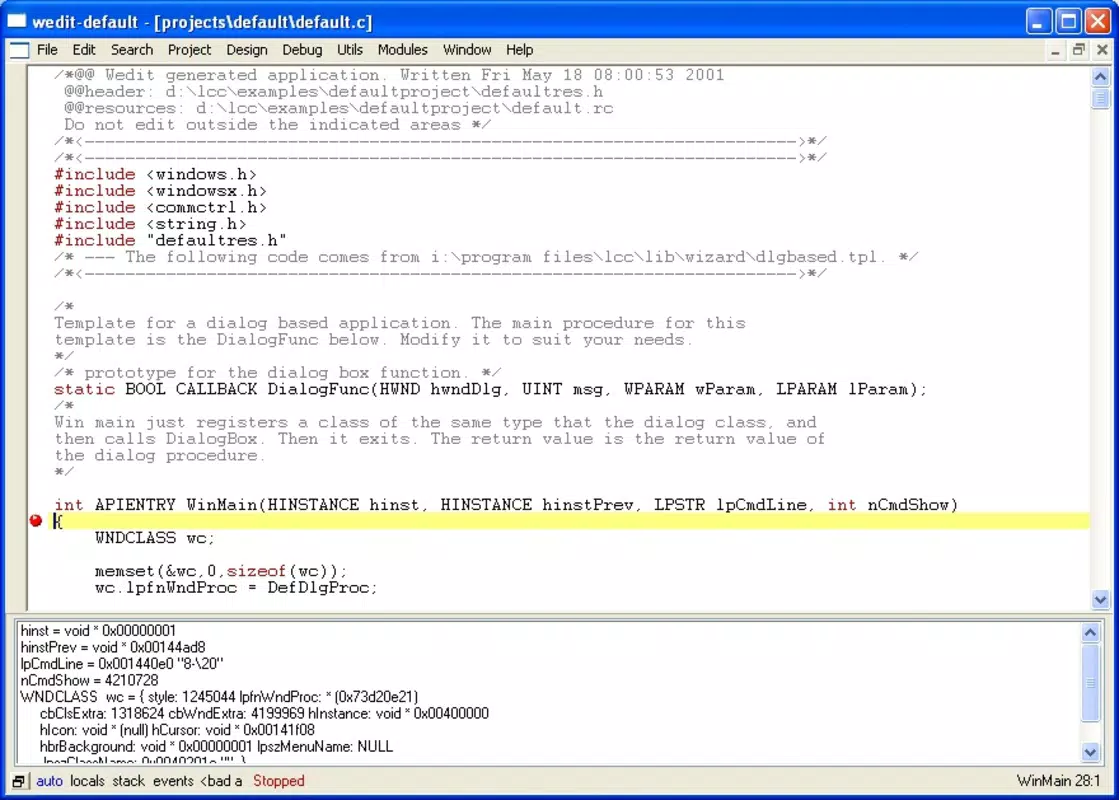
- Syntax Filtering Options: Built-in syntax checking helps identify errors in source code during development. This real-time feedback allows developers to catch issues early, improving code quality and reducing debugging time.
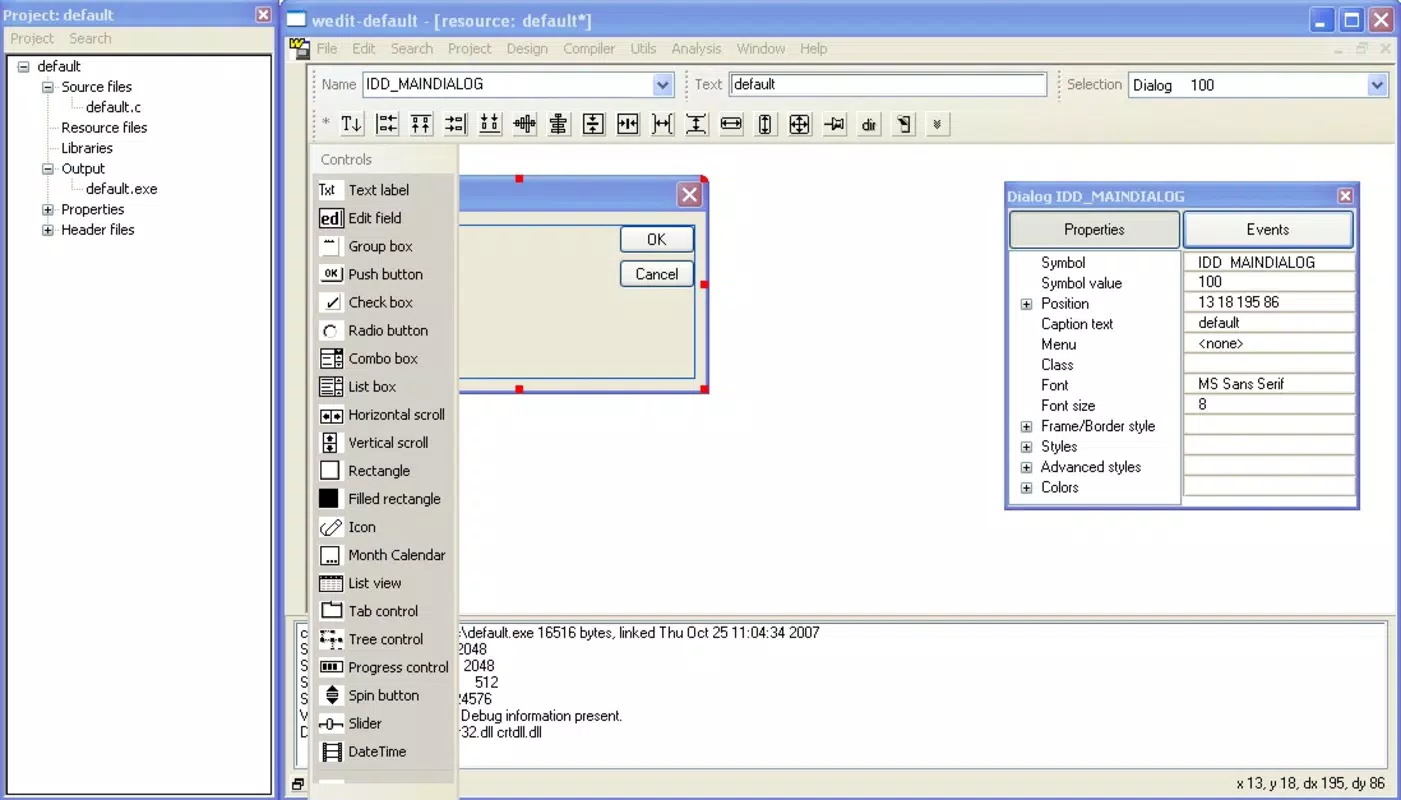
- Manual and Plugin-Based Development: Users can write code directly in the editor or use external drag-and-drop plugins to build components visually. This dual approach supports both traditional coding and a more intuitive, layout-driven development style.
- Integrated Toolset: All essential tools—compiler, linker, assembler—are bundled within the environment. This consolidation eliminates the need to manage multiple standalone tools, streamlining the development workflow.
- Community Support: A large and active user community provides online resources, tutorials, and troubleshooting assistance. This support network enhances the overall development experience, especially for new users navigating the tool’s setup and configuration.
For example, a student learning C can use the syntax filtering to catch common mistakes like missing semicolons or mismatched braces. A developer creating a small utility might leverage drag-and-drop plugins to build GUI elements without writing extensive Windows API code. The tool’s lightweight nature ensures fast startup and minimal system impact, making it suitable for older or low-spec machines.
Interface, UX & Performance
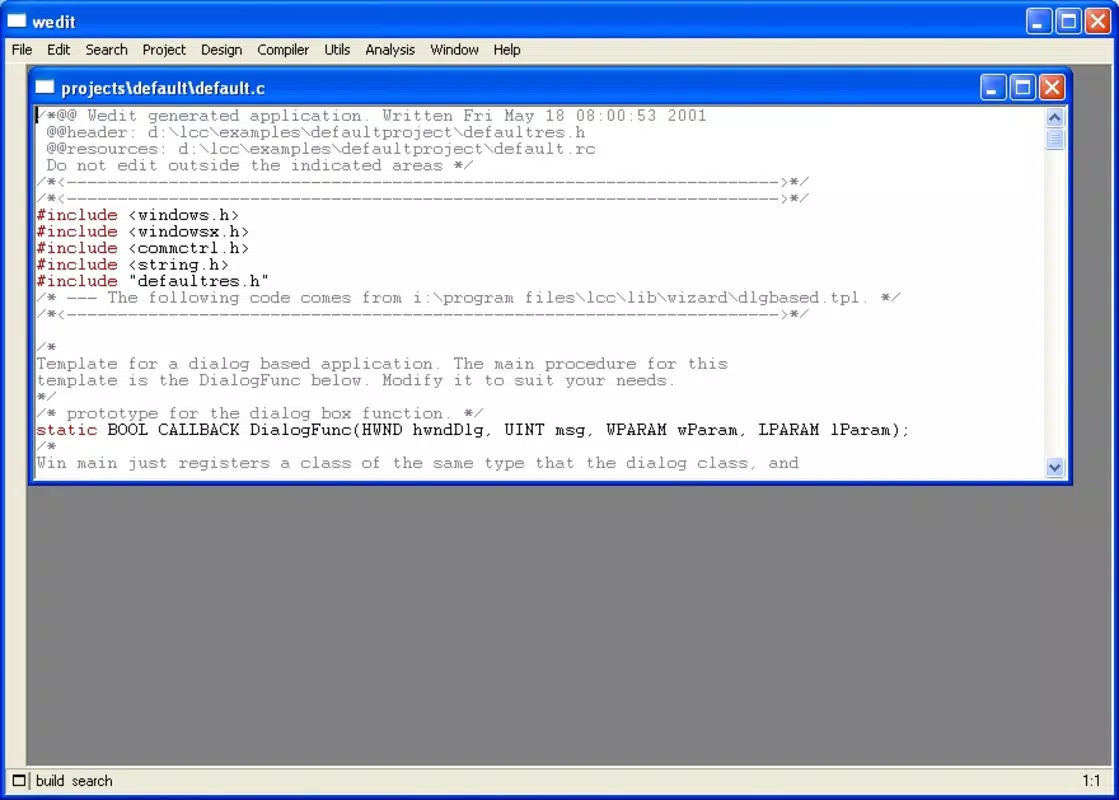
The user interface of LCC Win32 is designed with practicality in mind, emphasizing clarity and ease of access to core functions. The layout organizes essential tools—compiler, editor, linker—into a cohesive workspace, minimizing clutter and maximizing workflow efficiency. Visual elements are minimalistic, focusing on functionality rather than aesthetic flair, which aligns with its utility-driven purpose. Navigation is intuitive, with logical grouping of features and consistent menu structures that allow users to locate tools quickly.
Responsiveness is a notable strength, with the application maintaining smooth performance even during compilation tasks. Although the developer did not list formal performance metrics, the app’s 15.5 MB file size suggests a lightweight architecture that contributes to fast loading times and low memory usage. Stability appears consistent across various device categories, though specific requirements were not disclosed. Users can expect reliable operation for typical C development tasks, including compiling small to moderately sized projects.
While the interface lacks modern visual enhancements such as dark mode or customizable themes, its straightforward design ensures that users can focus on coding without distractions. The absence of real-time collaboration features or advanced debugging tools is expected given its niche focus. However, the tool remains functional and efficient for its intended use cases.
Platform Compatibility & Technical Requirements
LCC Win32 is available exclusively for the Windows platform. The current version is 3.8, and the application file size is 15.5 MB. The developer did not specify minimum OS requirements, but given its release date in 2014 and continued availability, it is likely compatible with modern Windows versions, including Windows 7 and later. However, users should verify compatibility with their specific system configuration, especially on newer Windows releases with updated security policies.
As a standalone tool, LCC Win32 does not require installation of additional frameworks or runtime libraries beyond what is standard on Windows systems. This reduces setup complexity and makes it easy to deploy across different machines. The absence of cloud integration or online dependencies ensures that the tool can be used offline, which is beneficial for users in restricted network environments.
Pros and Cons
Pros
- Free to download and use, making it accessible for students and hobbyists.
- Lightweight design with a small file size (15.5 MB).
- Integrated compilation, linking, and assembly tools in one environment.
- Supports both manual coding and visual plugin-based development.
- Active community provides ongoing support and resources.
Cons
- Developer did not provide specific system requirements or compatibility details.
- Limited to Windows platform, with no support for macOS or Linux.
- Interface lacks modern UI features such as dark mode or theme customization.
- No built-in debugging tools beyond syntax checking.
- Release date was 2014, suggesting limited recent updates.
FAQ
Is LCC Win32 safe to download and install?
Yes, LCC Win32 is a legitimate tool developed by the LCC team. It is free to use and does not contain malware. However, users should download it from official or trusted sources to ensure integrity.
Can I use LCC Win32 on Windows 10 or Windows 11?
While the developer did not specify compatibility details, the tool has been available since 2014 and is widely used on modern Windows systems. Most users report successful operation on Windows 10 and Windows 11.
Is LCC Win32 updated regularly?
The latest version is 3.8, released in 2014. The developer has not provided information on future updates or maintenance schedules. Users should expect limited or no new features beyond the current release.
Does LCC Win32 support C++ programming?
Based on available information, LCC Win32 is designed specifically for C programming. It does not include built-in support for C++ syntax or features.
Can I use external libraries with LCC Win32?
Yes, the tool supports integration with external libraries and the Windows API. Developers can link third-party libraries during the compilation process, enabling extended functionality.
Final Thoughts
LCC Win32 stands out as a reliable, no-frills tool for C programming on Windows. Its lightweight design, free access, and integrated development workflow make it a valuable asset for learners, educators, and developers who prioritize efficiency over flashy features. While it lacks modern UI enhancements and has not seen updates in over a decade, its core functionality remains solid and effective. The support of a dedicated community ensures that users can still find help and resources when needed.
For those seeking a straightforward, low-overhead environment to write and compile C code, LCC Win32 delivers consistent performance with minimal setup. It’s particularly well-suited for educational use and small-scale projects. Despite its age, it continues to serve a niche but important role in the programming ecosystem.
Download LCC Win32 now


